Available now
Assess
Readiness assessment, feasibility study and grant support. Know whether automation will pay off, and where to start.
Self-driving lab builder
From labware to orchestrator, data, ML models and AI agents. Every part comes from its maker and drops into a 3D layout.
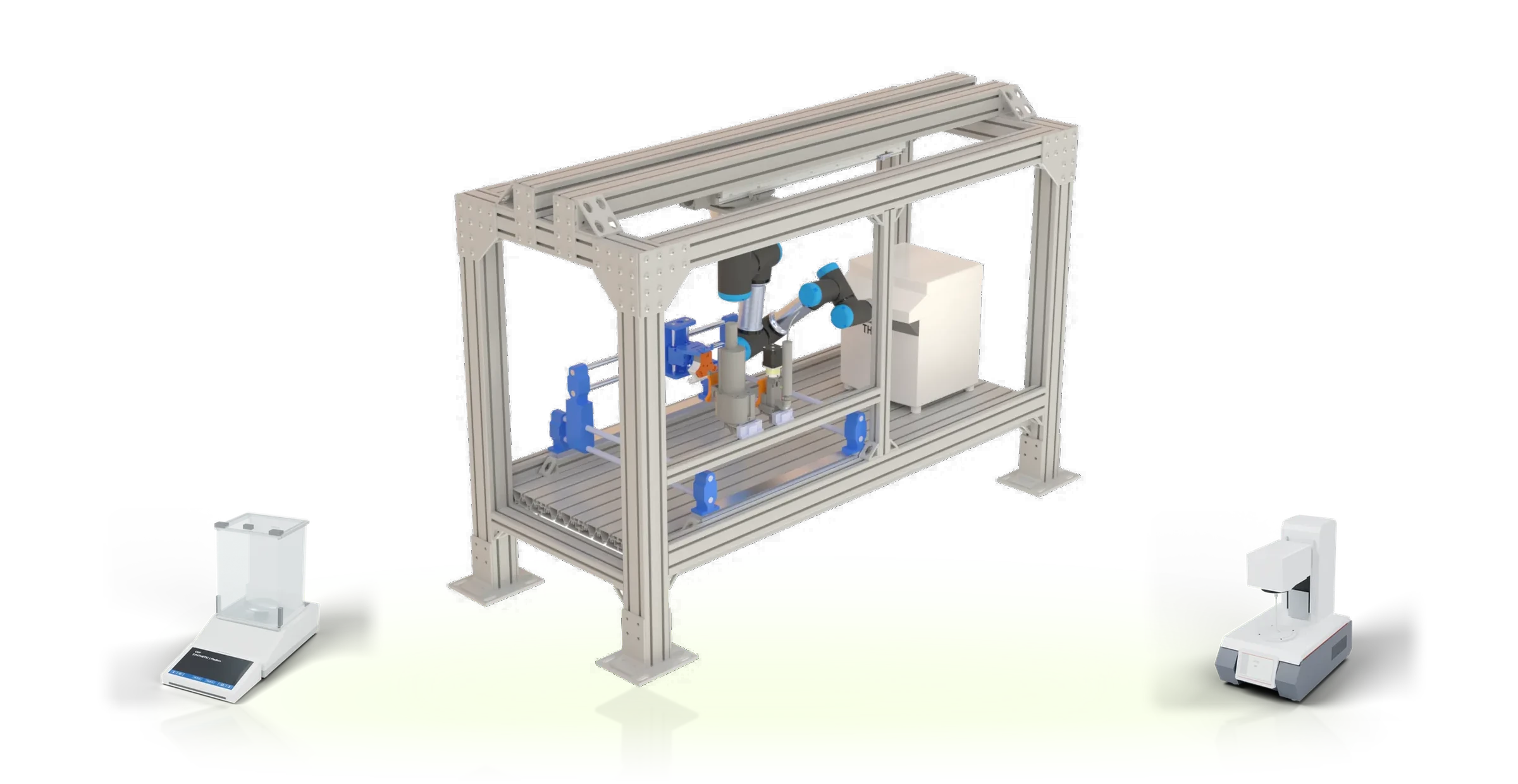
Services
Design free in the Lab Simulator. When you are ready, we help you build it and run it, and we stay vendor-neutral throughout.
Readiness assessment, feasibility study and grant support. Know whether automation will pay off, and where to start.
A fixed-fee design sprint that ends with a lab you can order, fund and defend to your safety committee.
Provider matching, commissioning oversight and integration. You buy directly from each maker.
Agents, orchestration and digital-twin rehearsal for the lab you already run. Pilot places open.
Hardware, orchestration and AI agents, each separable, together one lab that runs itself safely. Pick a layer and watch it work on real systems.
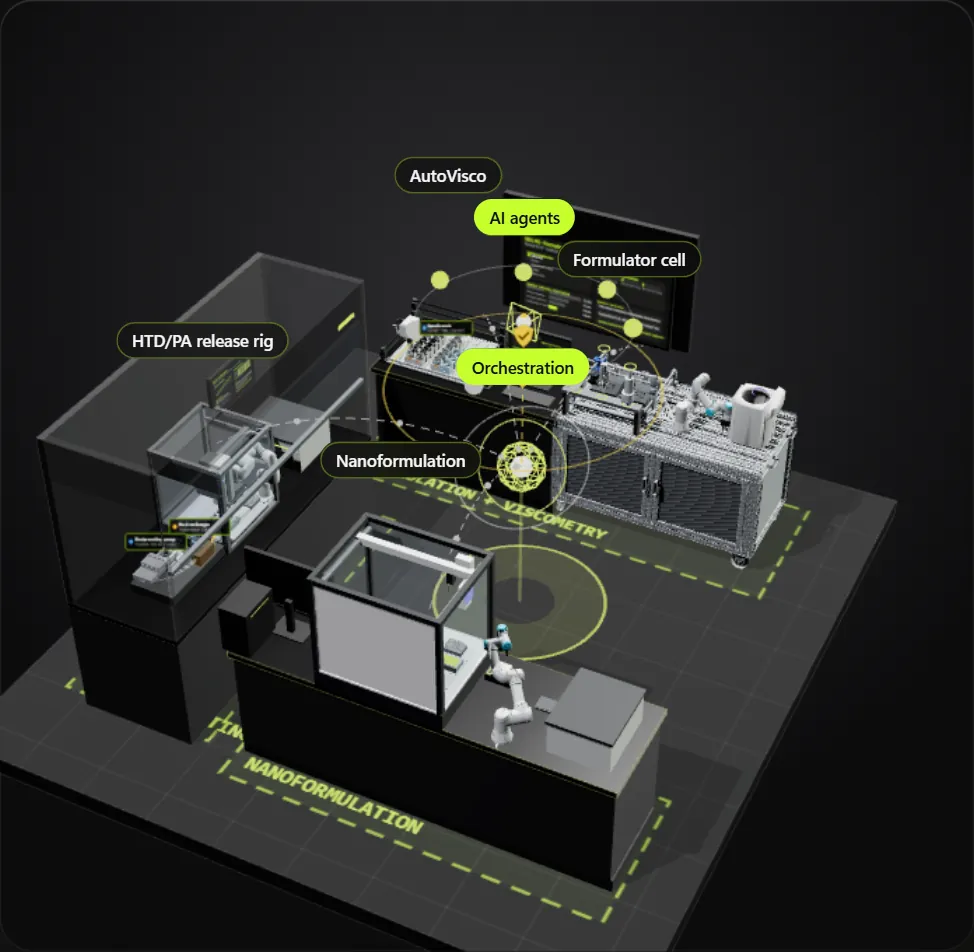
Scene: an illustrative model of four systems built at SDL #5, Acceleration Consortium, University of Toronto. assemblab is independent and not affiliated with the university or the consortium. Models: assemblab library CAD and the labs' own setup CAD; plate readers are plain stand-ins. UR e-Series CAD © Universal Robots A/S, used under its terms for graphical documentation; UFACTORY Lite 6 mesh under BSD-3; the Opentrons robots are drawn from public reference dimensions. Product names are trademarks of their owners.
Four steps in one workspace. Nothing asks you to commit to a vendor until you choose to contact one.
Dispensers, arms, platforms, workstations and software, with published prices, accuracy and the reference behind each number.
Parts libraryDrag parts into a 3D workstation. Pipettes fill plates, arms replay planned transfers and feeders dose while you arrange them.
Lab SimulatorCheck every step is covered, choose an orchestration system, rehearse in a twin, and pick the optimizer or agents that decide the next run.
Self-driving layerYour cart splits by provider. Each group links to the maker's own page to order, request a quote or download the software.
Your cartViscosity, yield stress and powder flowability set the dispensing mechanism (Table 1 of the review).
Vendor configurators stop at the bill of materials. assemblab continues to the software that lets a cell decide for itself, organized by the layers of a self-driving lab.
Instruments, industrial structure and open-source software side by side. Parts tagged 3D drop straight into a design.
A lab is assembled from many companies and research groups. assemblab stays neutral: no stock, no markup, no preferred brand.
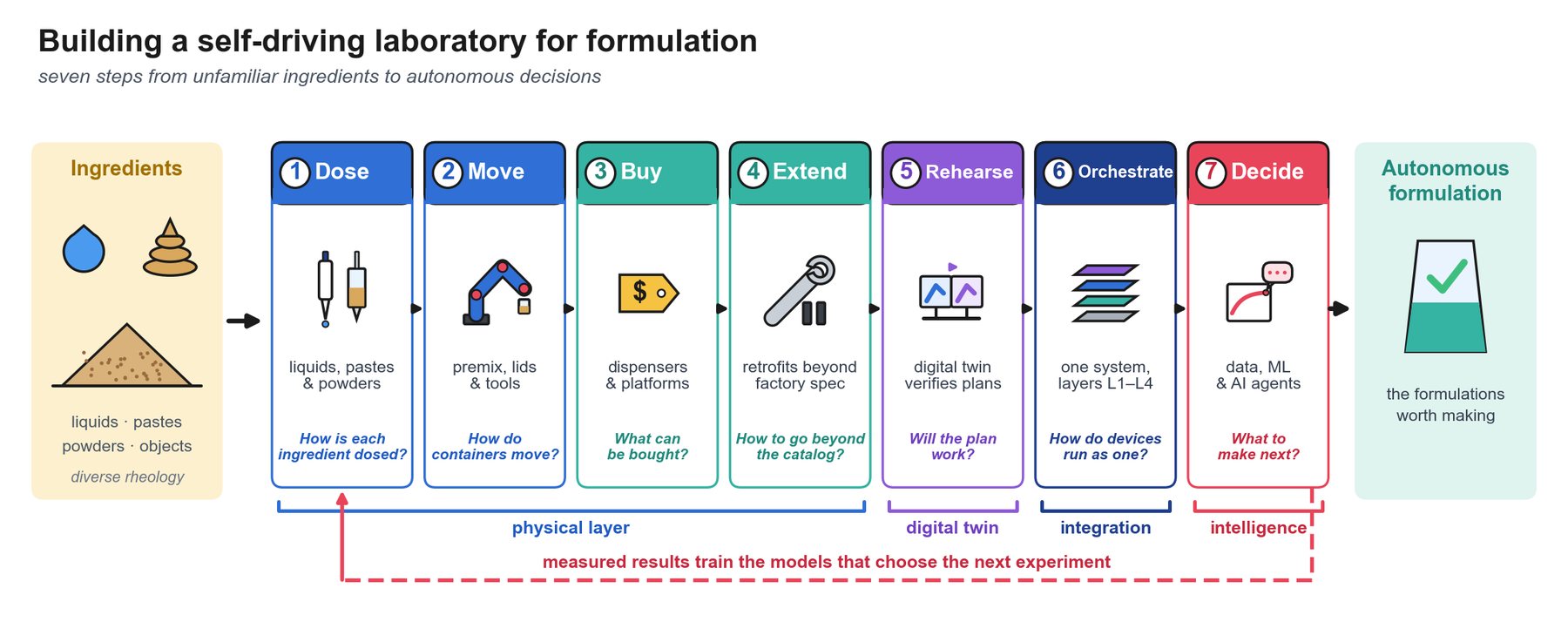
The catalogue grew out of a review of self-driving laboratories for formulation: 8 authors, 178 references and 7 comparison tables on handling liquids, pastes, powders and objects. Prices, accuracies and comparisons link back to their source.
Open the Lab Simulator, drop in a liquid handler and an arm, and let the cell check itself.